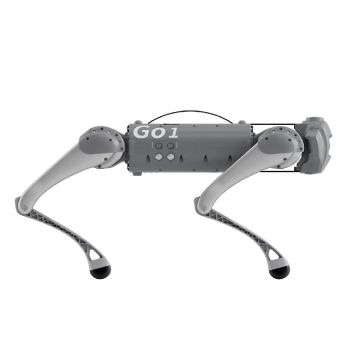
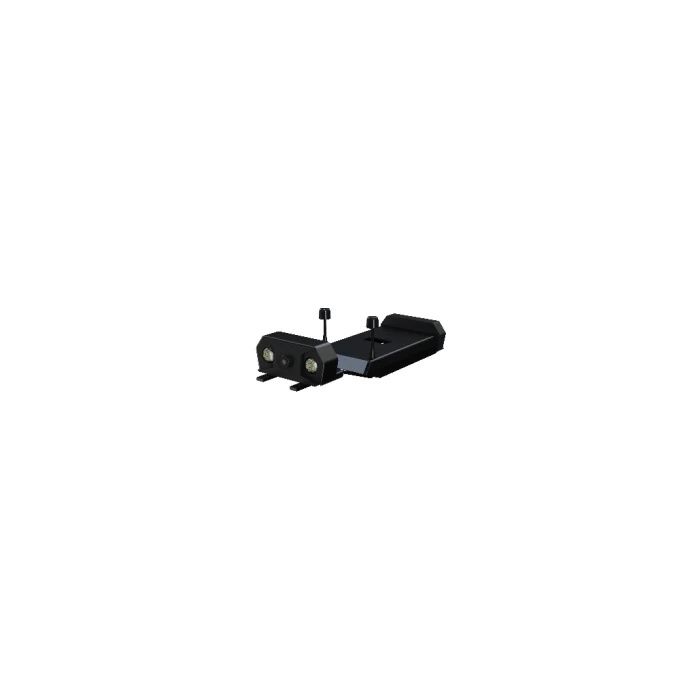
Unitree Remote Control With Screen (Dual Camera) (Remote control with screen (dual camera)
In stock
- BRAND:
- UNITREE ROBOTICS
- PART #:
- Remote control with screen (dual camera)
- ORIGIN:
- China
- AVAILABILITY:
- SUBJECT TO AVAILABILITY
- SKU:
- Unitree-Remote-control-with-screen-(dual-camera)
Remote Control With Screen (Dual Camera) Go2 Series Products (Remote Control With Screen (Dual Camera)) (Remote control with screen (dual camera))
It is widely listed as an optional “remote control with screen (dual camera)” for Go2 platforms and is commonly used in professional deployments where the operator benefits from an integrated display rather than relying on a separate phone, tablet, or laptop.
Unitree’s Go2 accessory documentation also references “remote control with screen” options and confirms the dual-camera concept through specification tables (e.g., two cameras, 1920×1080 resolution, and 2.4GHz wireless frequency noted in the Go2 brochure).
In practice, the Remote Control With Screen (Dual Camera) acts as a portable command-and-visualization device: the operator drives the robot while simultaneously viewing live video feeds, monitoring status, and interacting with the robot’s control software—an approach that is especially useful for inspection routes, patrol demonstrations, and robotics R&D workflows.
Design and Features
Integrated touchscreen display controller
The system is centered on a handheld controller featuring a 5.5-inch 1080P high-definition, high-brightness LCD touchscreen display, enabling operators to view video feeds and interface with robot controls directly on the device.
This “all-in-one” design is intended to reduce dependency on external devices and make field operation more practical in environments where quick response and clarity are important.
Dual-camera live video support
As the name indicates, the configuration includes two cameras for video transmission. Unitree’s Go2 brochure lists:
-
Number of cameras: 2
-
Camera resolution: 1920×1080
Dual-camera viewing is frequently used to improve situational awareness, reduce blind spots, and provide better visual context for teleoperators—especially in cluttered spaces or while negotiating obstacles.
App-based control workflow
Unitree’s standard Go2 control system is designed around pairing the robot and controller via an application workflow, and the remote control ecosystem is described as supporting control setup through an app.
With the screen controller, this app-driven approach is integrated directly into the handheld device environment, making configuration and live operation more streamlined.
Multi-interface, field-friendly design
The screen controller is commonly described in listings as a device with multiple ports and expansion options intended for professional use, including support for charging, external connectivity, and storage expansion.
This emphasis on interfaces reflects its role not only as a remote control, but also as a practical “operator station” for mobile robotics testing and deployments.
Communications redundancy (in some Go2 packages)
Some Go2 education/enterprise product listings describe “dual backup communication links,” such as a main remote/telemetry path and a backup network link for connectivity resilience in field operation.
While exact radio details can vary by configuration and region, this design approach aligns with the controller’s intended professional use cases.
Technology and Specifications
Note: Specifications below are compiled from published listings and accessory documentation for the Go2 screen controller category. Real-world performance can vary based on software version, region, and bundle configuration.
Screen remote controller (published hardware specifications)
Common published specifications for the Remote Control With Screen (Dual Camera) include:
-
Display: 5.5-inch 1080P high-definition, high-brightness LCD touchscreen
-
System configuration: Android 9.0, 2GB RAM, 16GB storage
-
Dimensions (antenna retracted): 189 × 138 × 41 mm
-
Weight: 850 g
-
Battery: 10,200 mAh, 7.4V 2S ion battery
-
Fast charging: PD 20W
-
Charging time: ~5 hours (20W fast charging)
-
Operational life: up to 13 hours (published)
Video and camera parameters (dual camera)
From Unitree’s Go2 brochure accessory table:
-
Number of cameras: 2
-
Camera resolution: 1920×1080
-
Wireless frequency: 2.4GHz
These values help characterize the accessory as a high-definition video control option compared with basic controller-only operation.
Applications and Use Cases
Teleoperation with improved situational awareness
The primary role of a screen + dual-camera remote is to improve the operator’s real-time awareness. The integrated display supports navigation decisions such as obstacle avoidance, doorway alignment, path selection, and safe turning radius management—especially when operating the robot beyond direct line-of-sight.
Industrial inspection and facility walkthroughs
For inspection scenarios (warehouses, campuses, industrial corridors), the dual-camera live feed can help operators assess surroundings and verify conditions remotely. This is particularly useful in areas where a robot is deployed for routine rounds, basic visual checks, or controlled exploration.
Robotics education and research
Go2 is widely used in robotics R&D environments, and a screen-based controller can make demonstrations and experiments easier by providing an integrated visualization point for observers and developers. Product listings for Go2 education/enterprise packages frequently emphasize stronger communication links and practical control workflows.
Demonstrations, events, and public-facing deployments
In settings where a robot’s movement must be supervised carefully—such as exhibitions, guided tours, or public demos—the ability to monitor live camera feeds directly on the controller can reduce risk and improve operator confidence.
Advantages / Benefits
A more complete operator station than a basic remote
Unitree’s standard Go2 controller is marketed around easy operation and long-distance remote control capability (commonly described as 100 meters in open environments) using data transmission and Bluetooth modules.
The screen controller expands this concept by adding a dedicated visualization layer and a richer interface for multi-function operation.
High-definition video improves control accuracy
Dual 1920×1080 cameras enable more detailed perception of obstacles, surfaces, and boundaries. For teleoperation, higher fidelity video can lead to fewer navigation errors and smoother movement in complex indoor environments.
Long published endurance for field sessions
With a published 10,200 mAh battery and up to 13 hours of operational life, the screen controller is positioned for longer work sessions such as extended inspections or full-day test events without frequent charging.
Streamlined workflow for Go2 camera-based accessories
The “remote control with screen” category is commonly referenced in Go2 accessory documentation as a camera display/control device, indicating its role as a base platform for video-enabled Go2 modules.
FAQ Section
What is Unitree Remote Control With Screen (Dual Camera)?
It is a Go2-series accessory that combines a handheld touchscreen controller with dual-camera live video, allowing an operator to drive a Unitree robot while viewing real-time video feeds directly on the remote.
How does Unitree Remote Control With Screen (Dual Camera) work?
The controller provides a 5.5-inch 1080p touchscreen interface and receives video from two 1080p cameras, enabling teleoperation with integrated viewing and control through an app-driven workflow.
Why is the screen remote important for Go2 robots?
It improves situational awareness by giving the operator a live video display, which can make remote navigation safer and more precise—especially when the robot is operating out of direct sight or in cluttered spaces.
What are the benefits of Unitree Remote Control With Screen (Dual Camera)?
Key benefits include a 1080p high-brightness touchscreen, dual 1080p camera viewing, Android-based interface, and long published battery endurance—supporting inspection, patrol, and R&D teleoperation workflows.
Summary
The Unitree Remote Control With Screen (Dual Camera) is a video-enabled teleoperation controller for the Unitree Go2 robot ecosystem that combines a 5.5-inch 1080p high-brightness touchscreen with dual 1080p camera support. Built on an Android-based interface and designed for long operating sessions, it supports use cases such as robot navigation, remote inspection, facility walkthroughs, and robotics R&D demonstrations. Compared with a standard controller, the screen + dual-camera configuration provides a more complete operator station by integrating visual feedback and control workflows into a single handheld device—making it a common upgrade for Go2 deployments where real-time video matters.
Specifications
| PART # | Remote control with screen (dual camera) |
|---|---|
| BRAND | UNITREE ROBOTICS |
What's included
Related Products